
Content calendar · Google Sheets, Excel + Notion
Content Engine – 90-Day Content Calendar
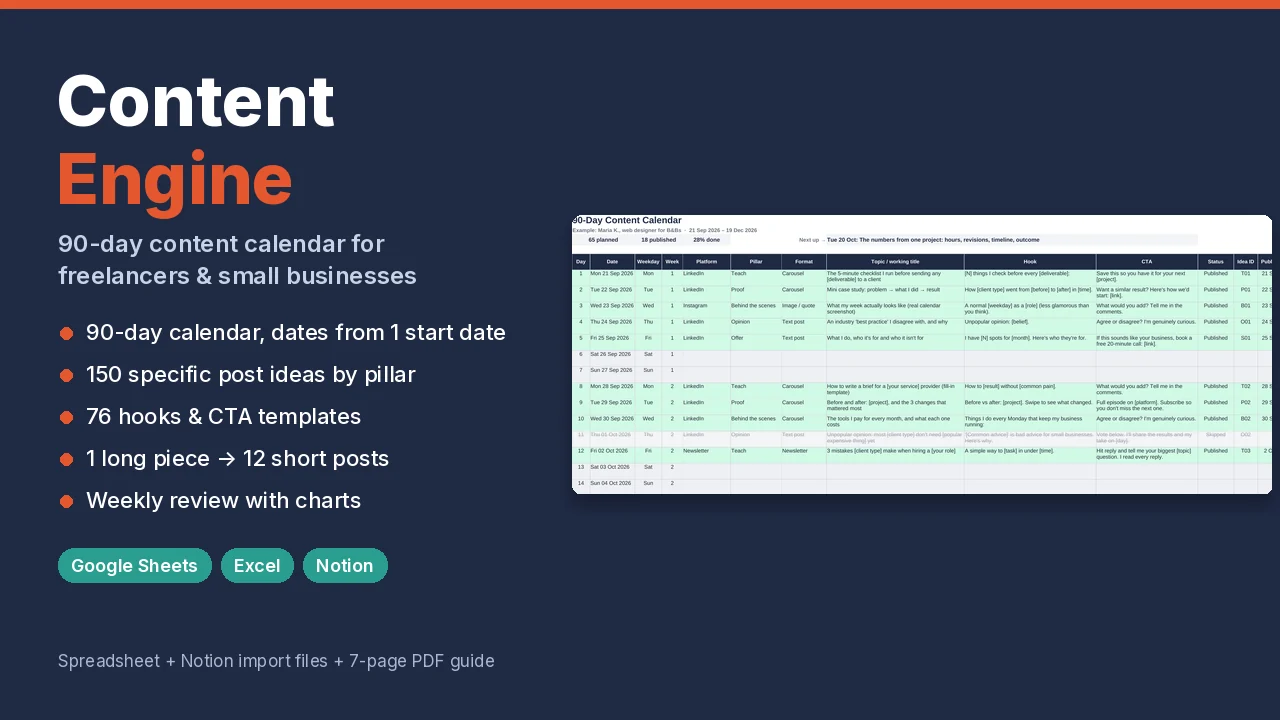
A 90-day content plan for freelancers, consultants and small service businesses. Set one start date and get a dated calendar with a starter plan, then write from 150 post ideas and 76 hook and CTA templates.
What it does
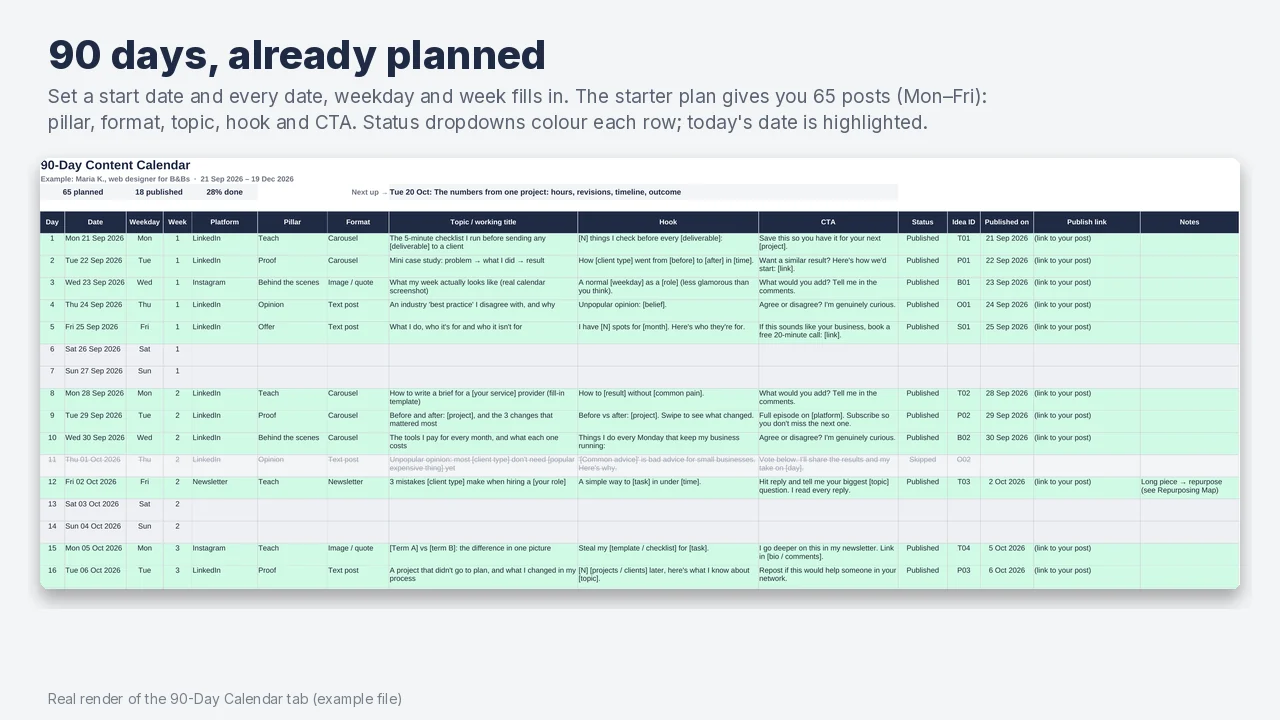
- A plan from day one. The starter plan gives you 65 posts over 90 days (Monday to Friday) with pillar, format, topic, hook template and CTA filled in. Weekends are left free.
- Dates fill in for you. Type one start date; all 90 dates, weekdays and week numbers update. Status dropdowns (Planned, Drafting, Ready, Scheduled, Published, Skipped) colour each row, today is highlighted and overdue posts are flagged.
- A one-page strategy. 90-day goals with baseline, target and automatic progress; who you help; 3–5 content pillars with planned vs published mix; platforms and posting frequency.
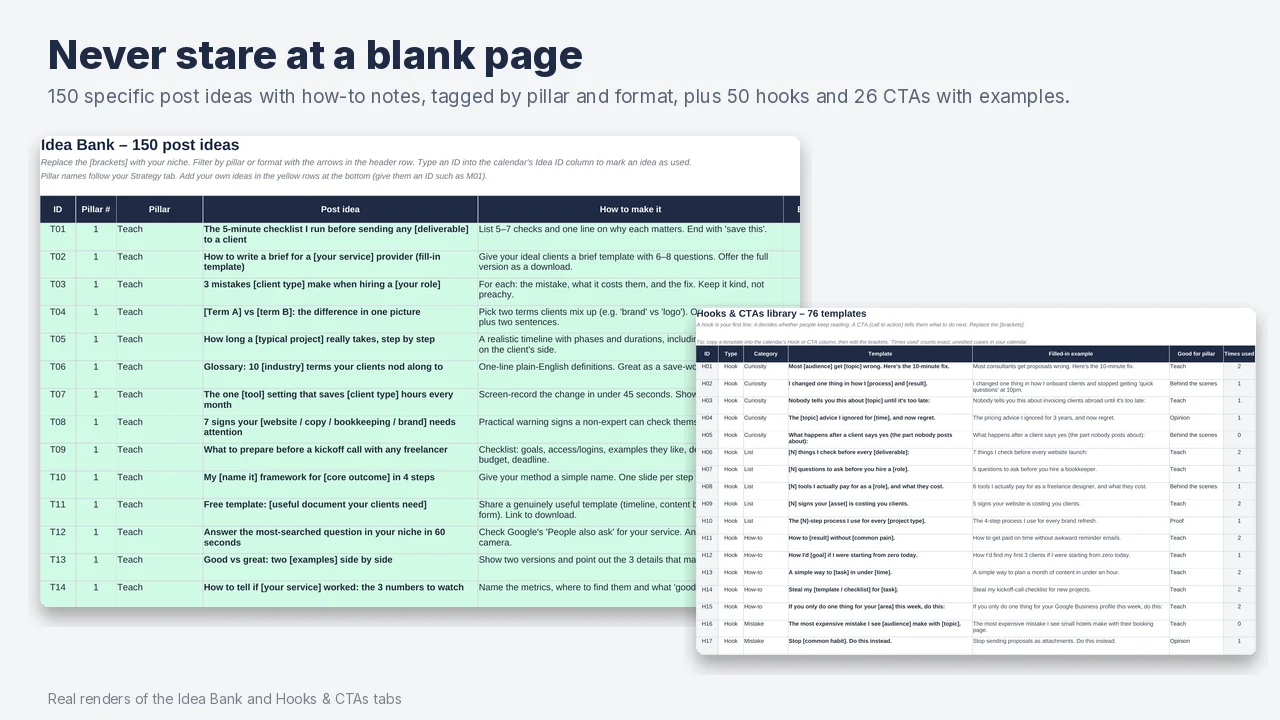
- No blank page. 150 specific post ideas for service businesses, each with a short "how to make it" note, tagged by pillar and format. Ideas already in your calendar are marked.
- Better first lines. 50 hook templates and 26 call-to-action templates, each with a filled-in example.
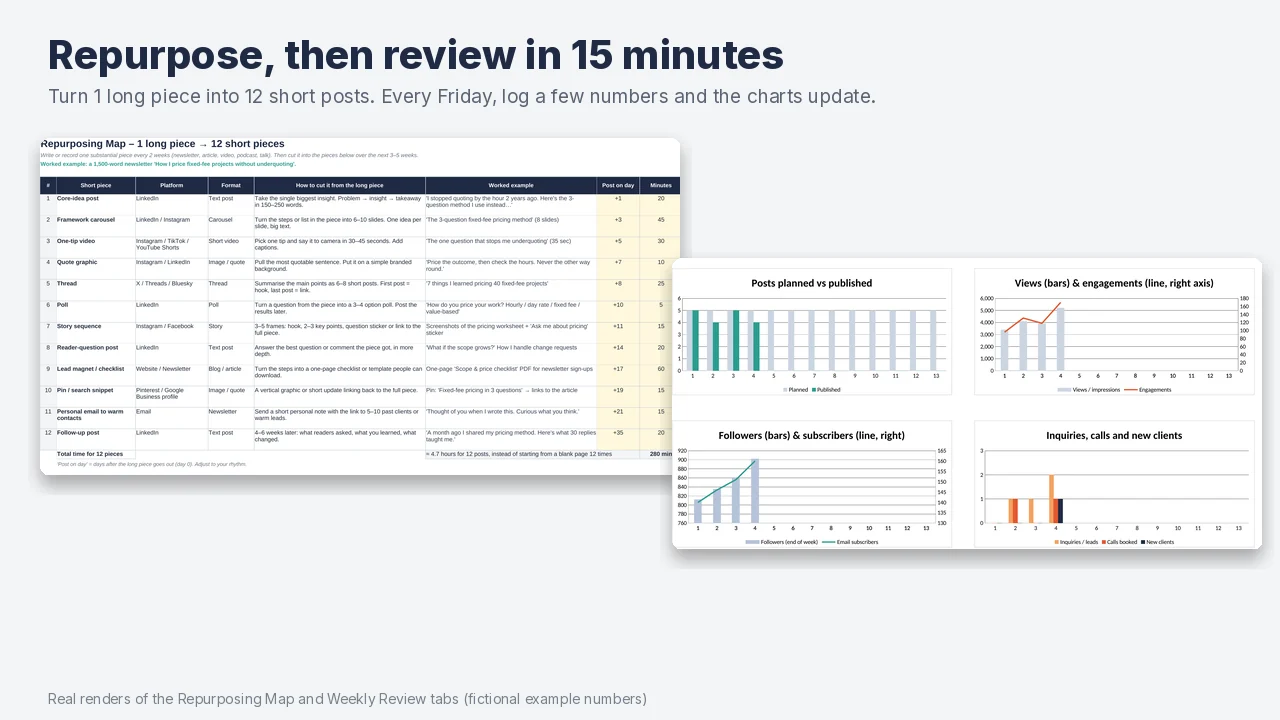
- More from each piece. A repurposing map turns 1 long piece (newsletter, article, video) into 12 short ones, with a posting schedule and a tracker.
- See what works. A 15-minute weekly review: planned vs published is automatic, you add followers, views, engagements, clicks, subscribers, inquiries and clients, and 4 charts update.
What's inside
Content-Engine.xlsx: the workbook with the starter plan, ready for your businessContent-Engine-EXAMPLE.xlsx: the same workbook with clearly marked fictional example data, so you can see every tab and chart workingNotion/: 5 CSV files that import as Notion databases, a Start Here page and import instructions- Quick-Start Guide (PDF, 7 pages): setup in about 45 minutes, the calendar, a post-writing routine, repurposing, the weekly review, and Google Sheets / Excel / Notion instructions
Tabs: Start Here · Strategy · 90-Day Calendar · Idea Bank · Hooks & CTAs · Repurposing Map · Weekly Review · Notion Export · Lists. Pillars, platforms and formats are editable, and every dropdown follows your names. No macros.
Who it's for, and who it isn't for
For freelancers, consultants, coaches, designers, developers, writers, bookkeepers and small service businesses that market themselves on LinkedIn, Instagram, a newsletter or similar.
Probably not for you if you need a tool that publishes posts for you (this is a planner; it doesn't connect to social networks), a team workflow with approvals, or content ideas for e-commerce and physical products.
How it was made
Built with AI assistance and reviewed by hand. The workbook was recalculated in LibreOffice and checked for formula errors, and the Notion files were generated from the same data. The example business and its numbers are fictional. There are no customer reviews to show yet, so we don't show any.
A planning tool, not a promise of results. How much content brings in depends on your offer, niche and consistency.
FAQ
Does it work in Google Sheets?
Which Excel version do I need?
Does it work in Notion?
Will the ideas fit my business?
Does it post for me?
Will this get me clients?
Refunds?
Payment and VAT are handled by Gumroad.